How to work with Ontology Versions
Checking Status
Monitor framework status through two primary channels:
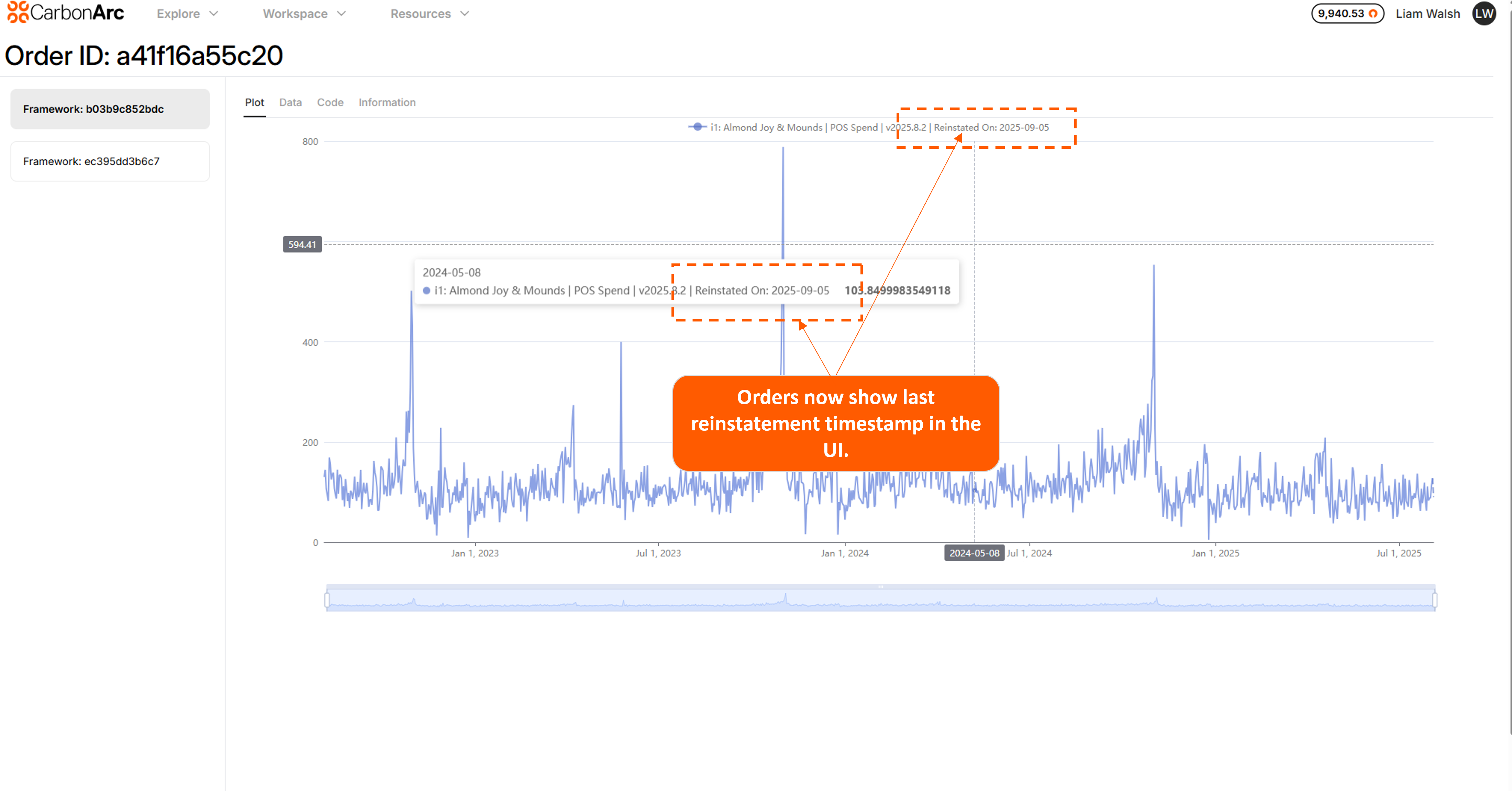
- Platform UI: Order History Navigate to your Framework details page where version metadata displays. You'll see reinstatment tag (e.g.,Reinstated on 2025-09-09), reinstatement timestamps, and refresh availability flags. This gives you immediate visibility into whether action is required.
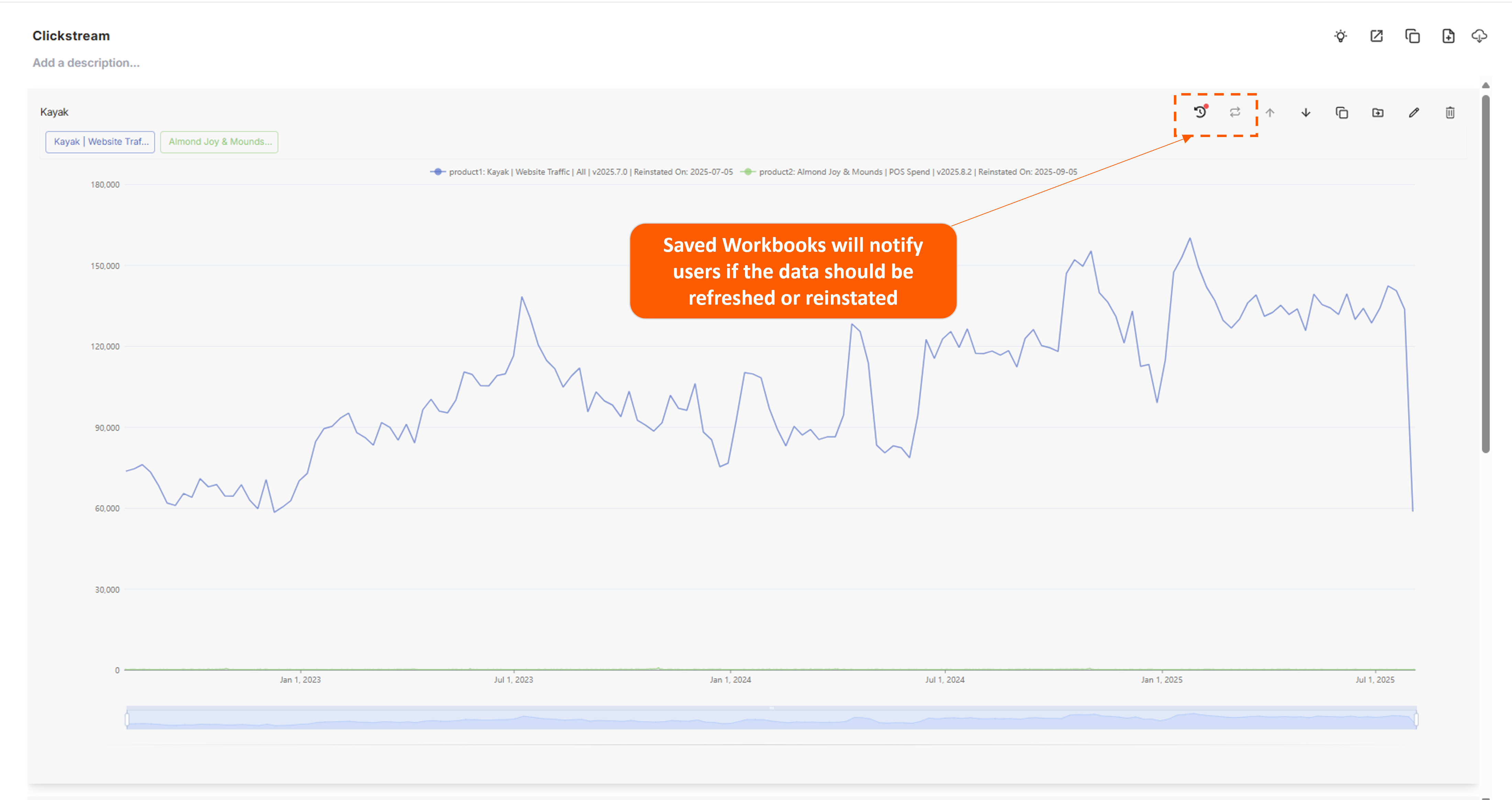
- Platform UI: Workspace The Workspace now displays framework reinstatement and data refresh status. Two new icons with highlighted buttons indicate when updates are available.
- Python SDK For programmatic monitoring and integration into your workflows:
Regular status monitoring helps prevent drift between your analyses and the underlying data reality. Make it part of your operational rhythm - daily for critical frameworks, weekly for everything else.
How to view changes
- Navigate to the Data Library for entity changes tied to datasets
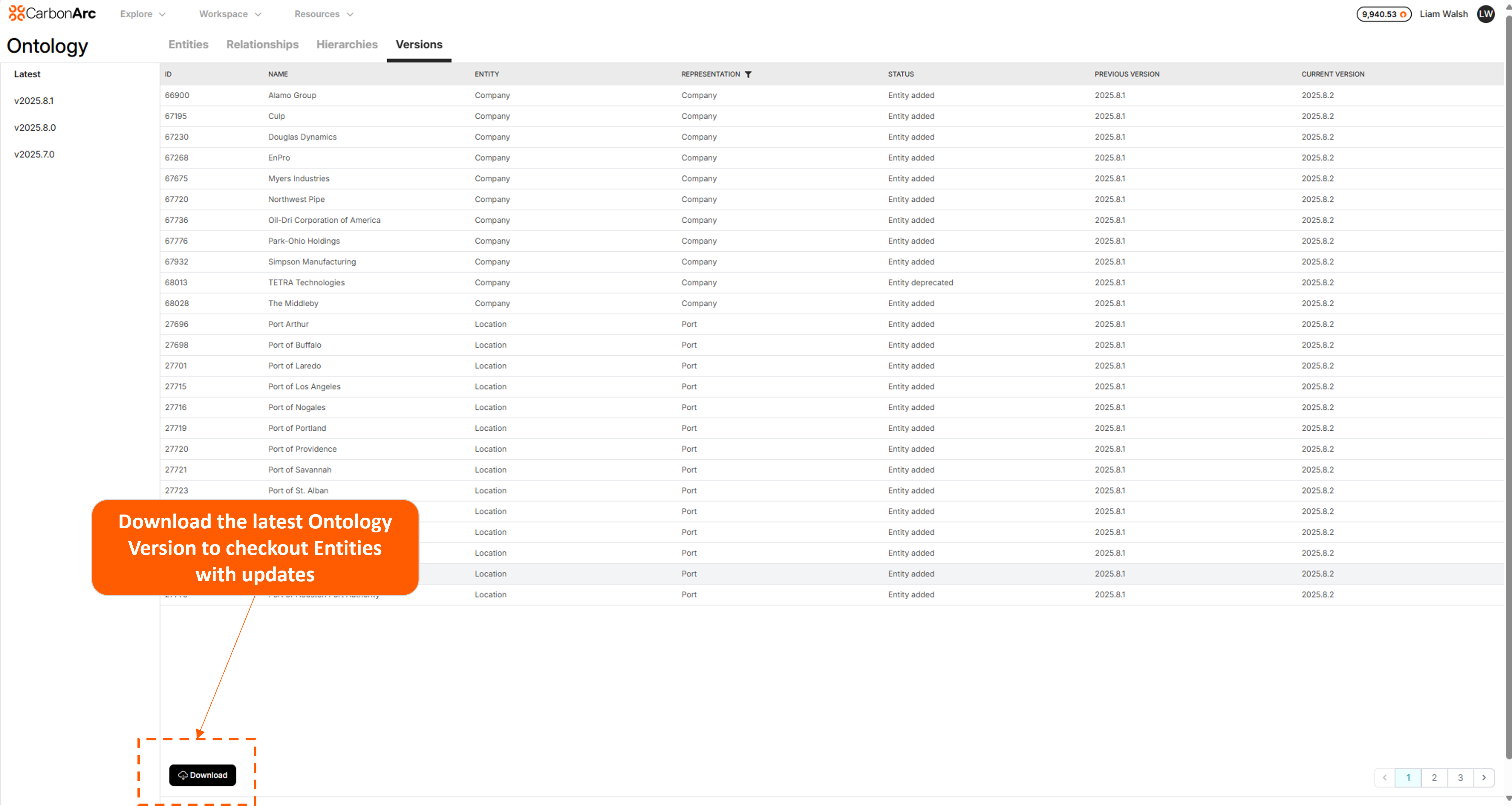
- Navigate to the Ontology Explorer for entity level changes. Download an Ontology Version in the Versions tab to view new or changed entities.
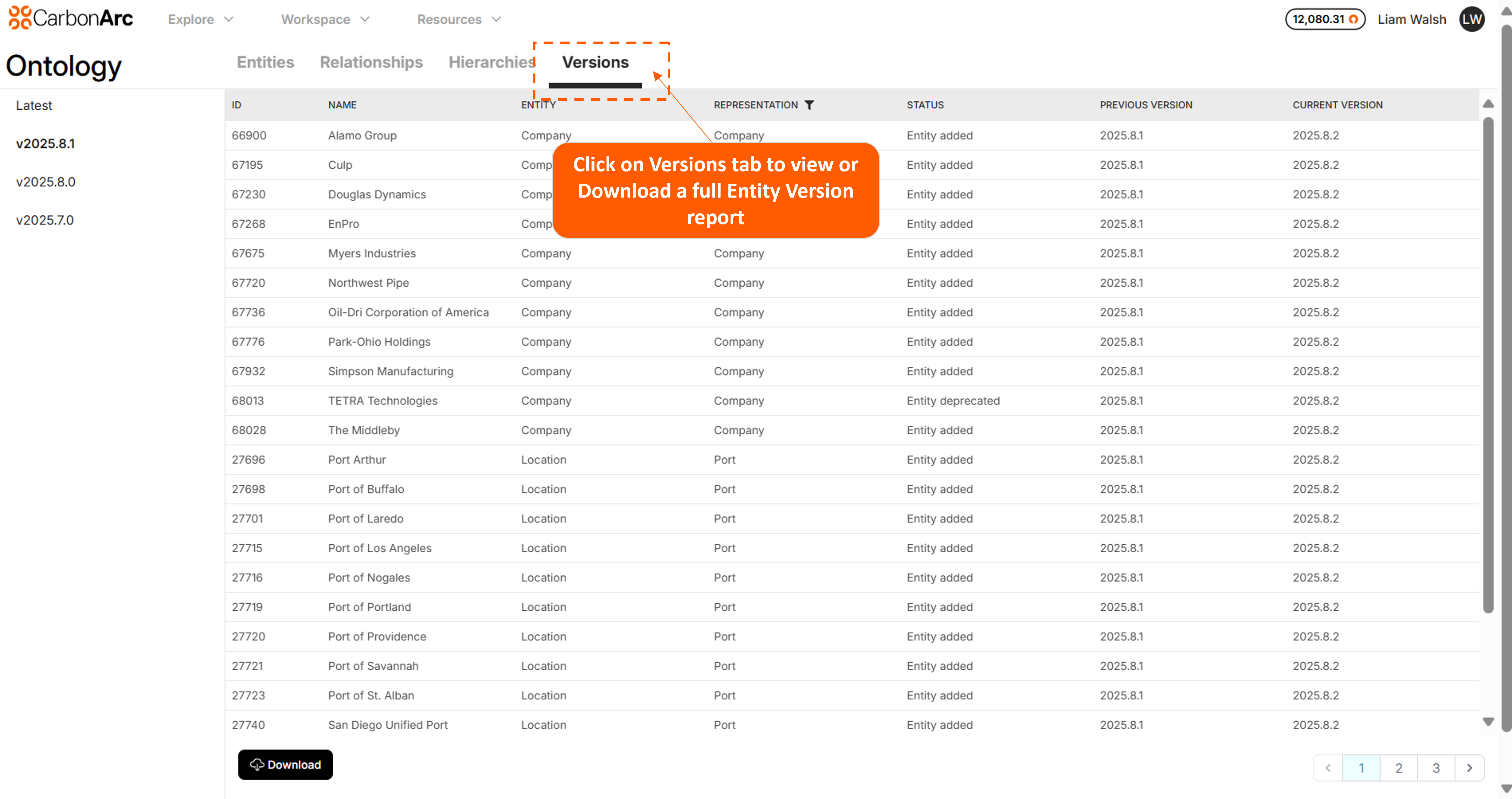
Data Library
Data Library Explorer ties Ontology Version changes to specific data feeds.
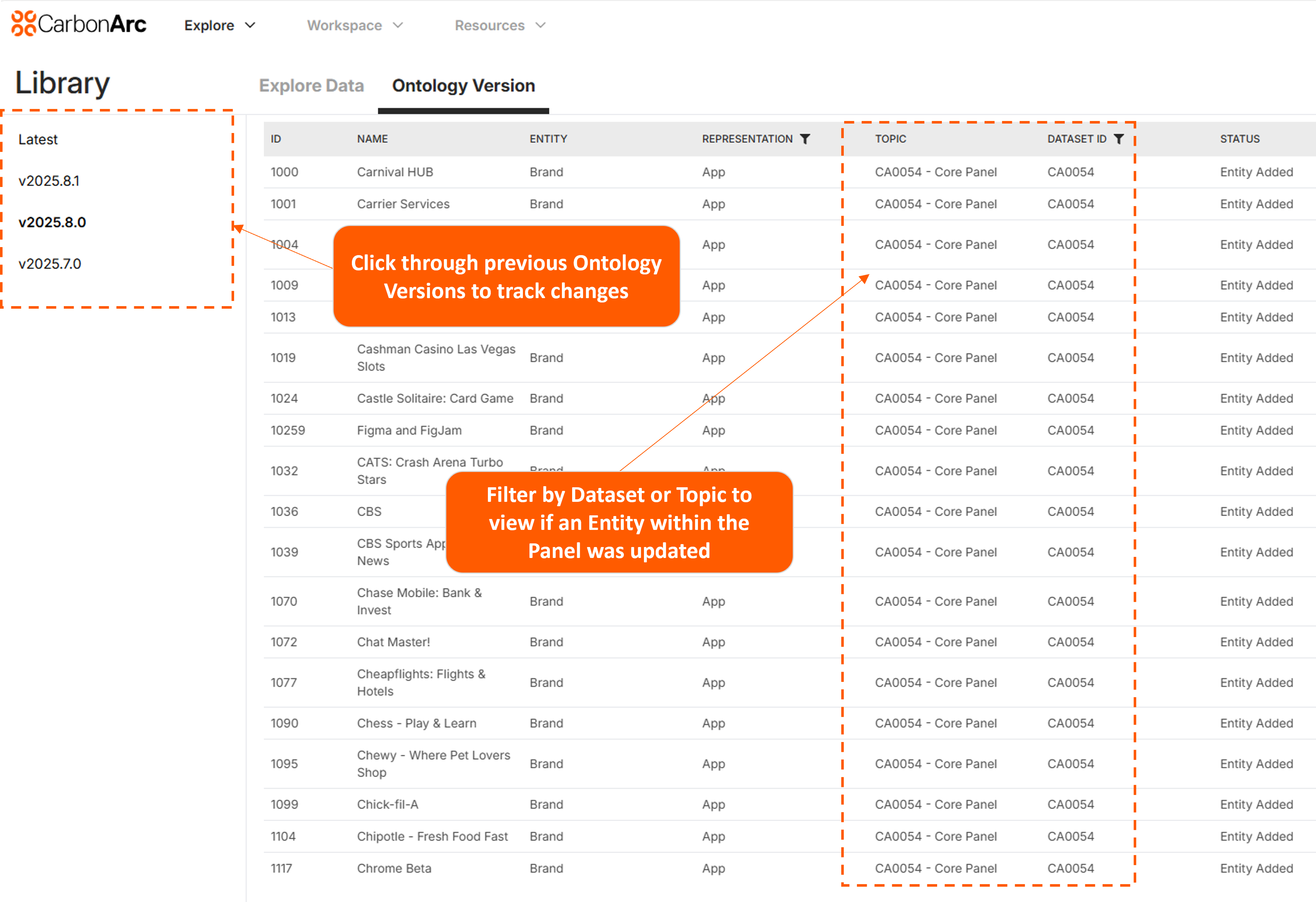
Ontology Explorer
Ontology Explorer interface showing entity version comparison. The Versions tab provides access to full entity version reports and tracks additions, deprecations, and reclassifications across monthly ontology releases.
Python SDK
Check the status of your Framework each Month.
from carbonarc import Client

client = Client(api_key="your_api_key")

status = ca.explorer.get_framework_status(framework_id="INSERT YOUR FRAMEWORK ID HERE")
print('Framework status:', status)
Reinstatement Types & Actions
- Full Refresh: New data increment ready - schedule during maintenance window
- Ontology Change: Entity structure modified - review impact before updating
- Vendor Reinstatement: Upstream data corrected - critical, update immediately
- Enhancement: Quality improvement - update at convenience
- Vendor Backfill: Historical data updated - critical if using historical analysis
Version Comparison
Using Ontology Explorer
- Select current version
- Compare with previous
- Review: new entities, mergers, reclassifications, relationship changes
Troubleshooting
Issue: Unclear reinstatement reason
status = client.get_framework_status(framework_id)
reason = status['last_reinstatement_reason']

actions = {
    'Full Refresh': 'Schedule update',
    'Ontology Change': 'Review impact analysis',
    'Vendor Reinstatement': 'Update immediately',
    'Enhancement': 'Update when convenient',
    'Vendor Backfill': 'Review if using historical data'
}

next_step = actions.get(reason, 'Contact support')
Operating Principles
Do
- Check status weekly to monthly
- Document ontology version in analyses
- Plan major work after monthly releases
- Set up automated alerts for critical frameworks
- Review changes before reinstating
Don't
- Ignore reinstatements >60 days
- Run critical analyses during reinstatement windows
- Assume entity IDs stable across major versions
- Skip version comparison when debugging
Quick Reference
| Task | Method | Frequency |
|---|---|---|
| Check version | get_framework_status() | Weekly |
| Monitor updates | Automated script | Daily |
| Review changes | Ontology Explorer | Monthly |
| Plan reinstatements | Last Thursday check | Monthly |
| Compare versions | Ontology Explorer | As needed |
Support
- Technical: support@carbonarc.co
- Platform UI: Ontology Explorer
- Version History: 6-month retention