Wallet
Overview
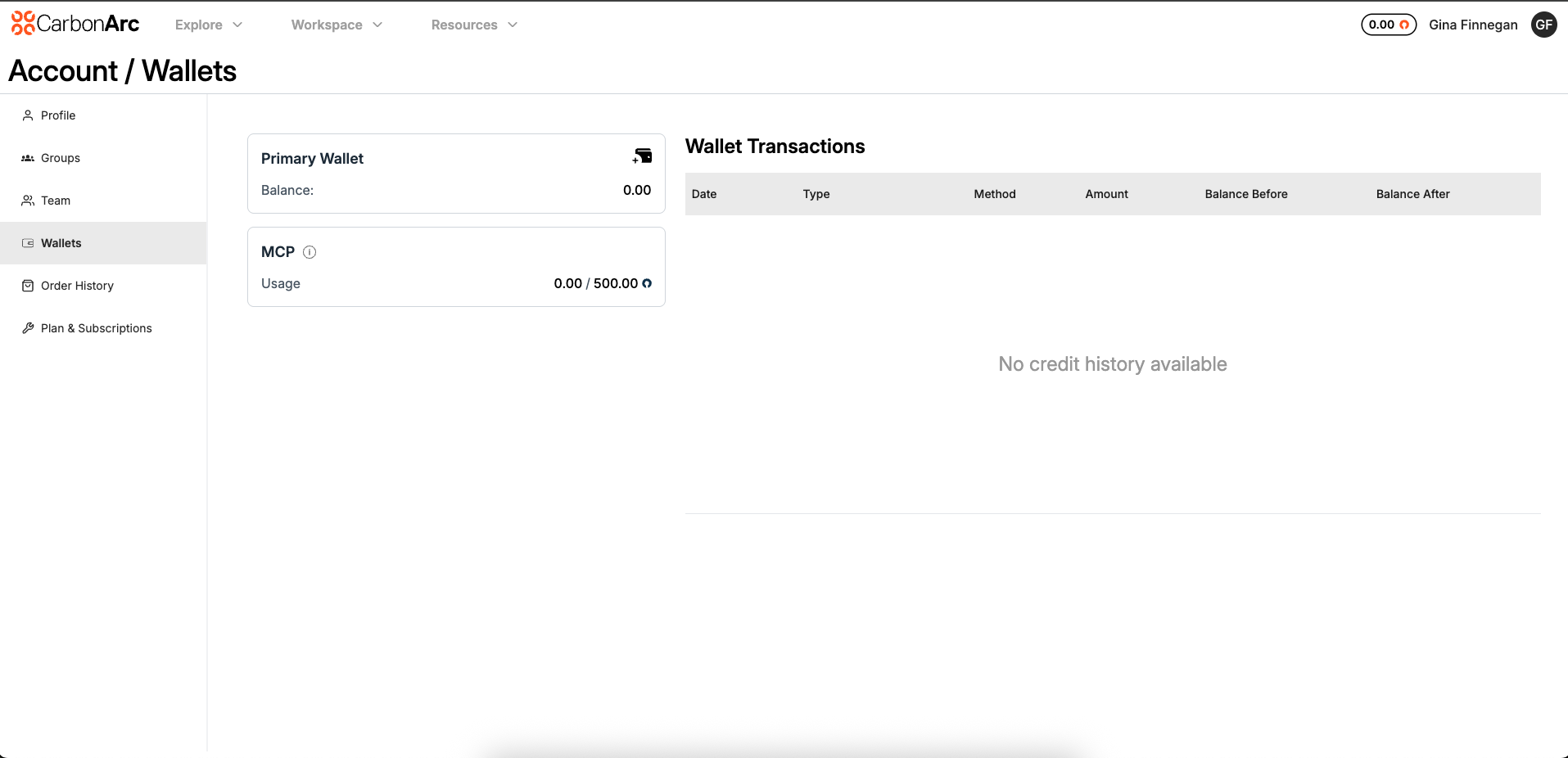
The Wallet page provides clients with visibility into their token balances and usage, as well as the ability to purchase additional tokens for their account.
Tokens are shared at the account level, meaning all team members draw from the same balance. When a client purchases tokens, they are added to the Primary Wallet and become available for the entire team to use.
Access: Only Client Admin and Super Admin roles can view the Wallet
Navigate to: My Profile → Wallet
Core Concepts
What is a Wallet?
A wallet is a virtual container that holds tokens (the currency used in the platform). Tokens are used to purchase frameworks via the Builder or SDK. There are two types of wallets:
Primary Wallet (Purchased)
- Tokens purchased by the user
- Main wallet for spending
- Never expires
- Directly funded by user
- Value: $1 USD per token
- Non-Refundable: Tokens cannot be refunded
MCP Wallet
The MCP Wallet only appears for clients who have an active MCP subscription. MCP tokens are allocated daily based on the subscription plan and are used exclusively for accessing the MCP Server through an AI agent.
MCP tokens:
- Are system-issued and refreshed daily
- Cannot be purchased or transferred
- Do not affect the Primary Wallet balance
- Are not included in Transaction History
Wallet Components
Primary Wallet Card
Displays the main purchased wallet with:
- Balance: Current token balance
- Minimum Balance: Minimum required balance (if set)
- Maximum Balance: Maximum allowed balance (if set)
- Fund Wallet Button: Opens purchase modal
MCP Wallet Card
Appears if an MCP subscription exists. Displays the usage shown as the number of tokens used out of the daily allocation (e.g., 30 / 500 is 30 used of 500 daily tokens).
Wallet Transactions Table
- Date: Transaction timestamp
- Type: Transaction description
- Method: Credit or Debit. Purchased tokens appear as credit; tokens spent appear as debit.
- Amount: Token amount
- Balance Before: Balance before the transaction
- Balance After: Balance after the transaction
Purchasing Tokens
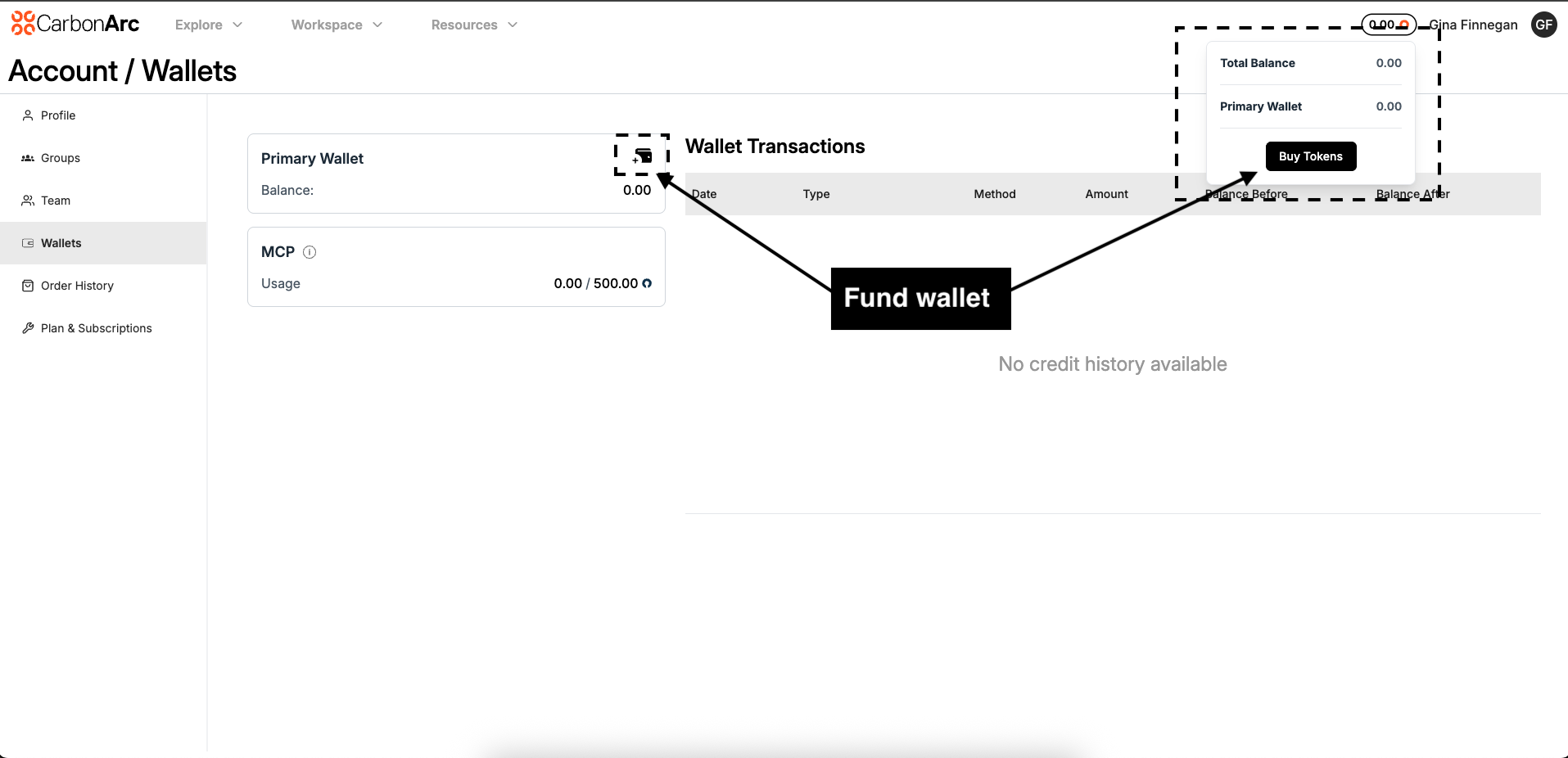
Step 1: Open the Purchase Modal
Click the Fund Wallet button (wallet icon with plus sign) on the primary wallet card.
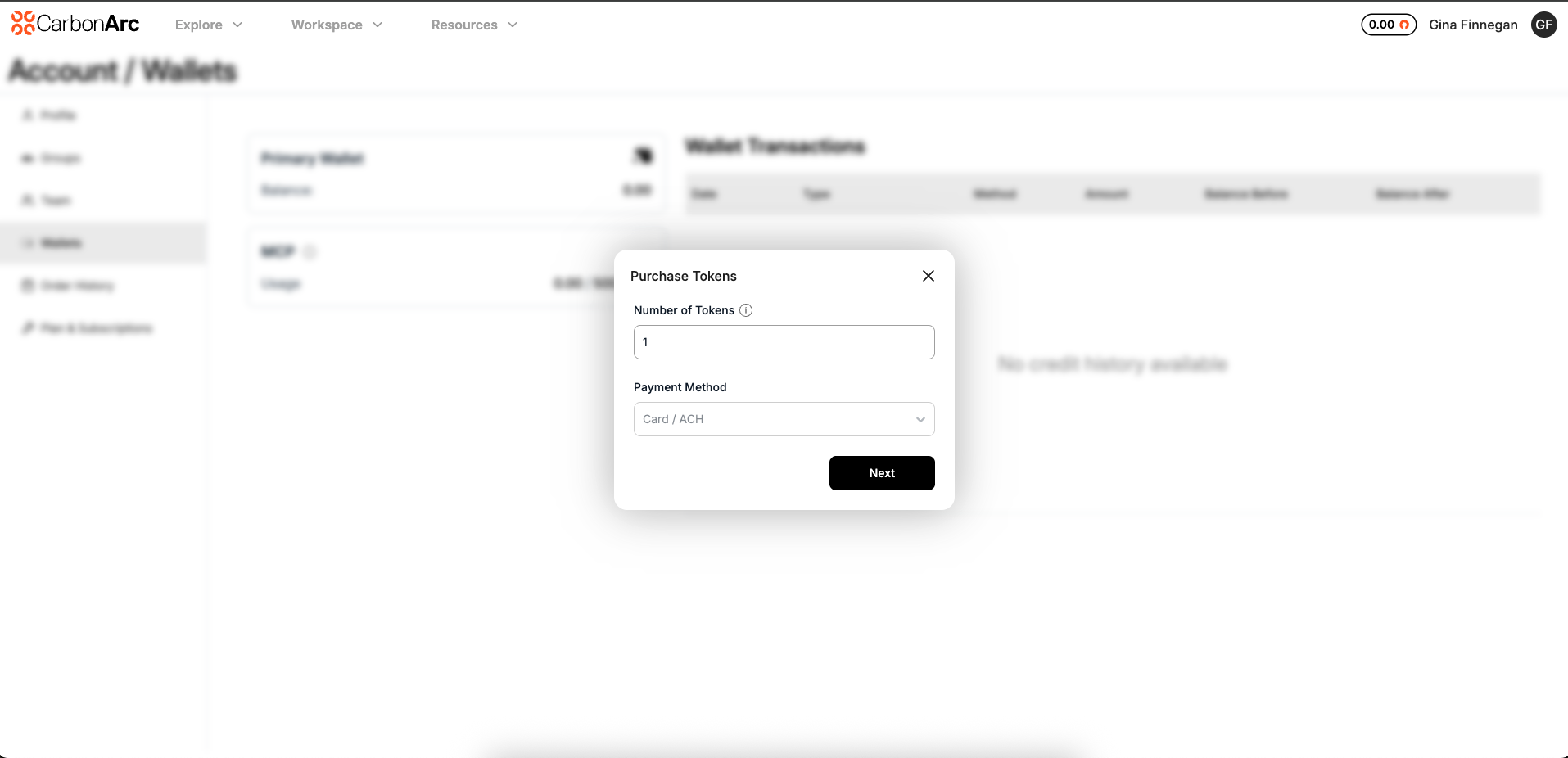
Step 2: Enter Token Amount
- In the Number of Tokens field, enter how many tokens you want to buy
- Minimum: 1 token
- Pricing: $1 USD per token
- Tokens never expire
Step 3: Select Payment Method
Choose from:
- Card / ACH: Pay immediately with credit card or bank transfer
- Invoice: Receive an invoice for payment (if available)
Note: Invoice option may be disabled depending on your subscription plan.
Step 4: Complete Purchase
For Card / ACH Payment:
- Click "Next"
- Complete the secure payment form
- Submit your payment
- You'll be redirected to a success page
- Transactions may take 2-3 minutes to clear before tokens are issued in the wallet
For Invoice Payment:
- Click "Next"
- An invoice is created
- Click the link to view/download your invoice
- Tokens are added immediately
Troubleshooting
I Can't See the Wallet Page
Only Client Admins and Super Admins have access. Check with your organization's administrator if you need access.
Payment Failed
Check your payment method details, ensure sufficient funds, try a different payment method, or contact support if issues persist.
Tokens Not Appearing
Wait a few moments for processing, refresh the page, check transaction history, or contact support@carbonarc.co if tokens don't appear after 5 minutes.
FAQ
How are tokens shared across my team?
Tokens are allocated at the account level and shared with every team member.
Can I buy more MCP tokens?
No. MCP tokens are system-issued and refresh daily according to your subscription plan.
Do MCP tokens appear in Transaction History?
No. MCP token usage is tracked separately and does not display in wallet transactions.
How much do tokens cost?
Tokens are $1 USD each.
Do tokens expire?
Purchased tokens never expire. Promotional tokens may have expiry dates, which are shown in the wallet.
Can I get a refund?
No, tokens are non-refundable once purchased.
Who can purchase tokens?
Only Client Admins and Super Admins can purchase tokens for their organization.
Can I transfer tokens?
Tokens stay in your organization's wallet and cannot be transferred between accounts.
What payment methods are accepted?
Credit Card / ACH, or Invoice (if enabled for your plan).
How quickly are tokens added?
Tokens are issued immediately after payment.
Credit Card / ACH transactions may take 2–3 minutes to process.
If tokens do not appear after 5 minutes, refresh the page or contact support@carbonarc.co.
Can I set spending limits?
Spending limits are managed at the User or Group level by your administrator.
Where can I see all my transactions?
All wallet activity is displayed in the Wallet Transactions table on the right side of the Wallet page.