Team
Overview
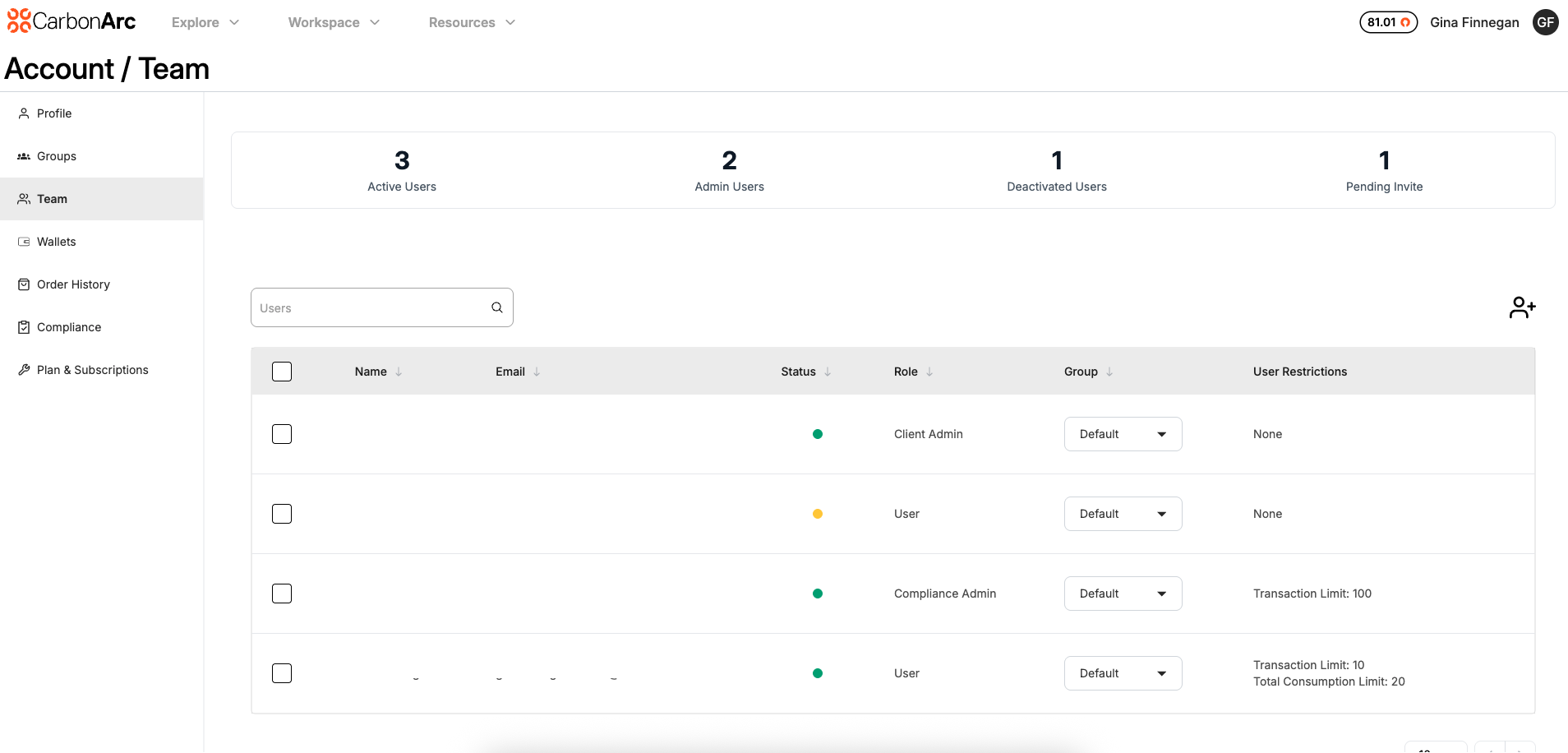
The Team page allows oversight into your organization’s team roster. Admins can manage members, assign roles, groups and set spending limits for token usage.
How to Manage Team Members
Must be an Admin to manage users
Invite a new team member
- Select the Add Users icon in the top right of the table.
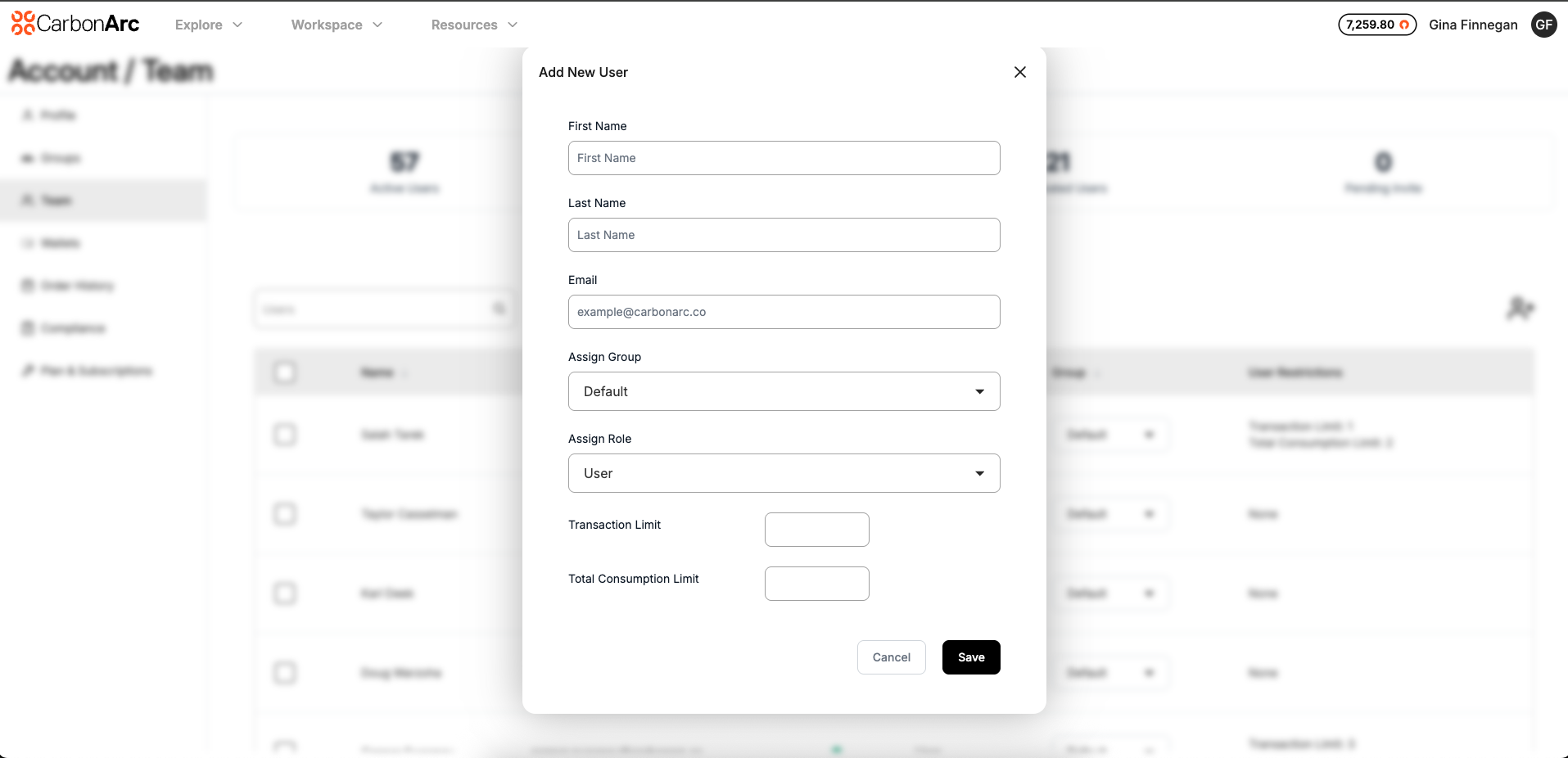
- Enter the users information
- Assign Group and Role
- (Optional) Enter a Transaction Limit and Total Consumption Limit.
- Select Save to invite team member
The user will receive an activation link and will appear as pending in the Teams page until they have activated their account.
Edit Team Member
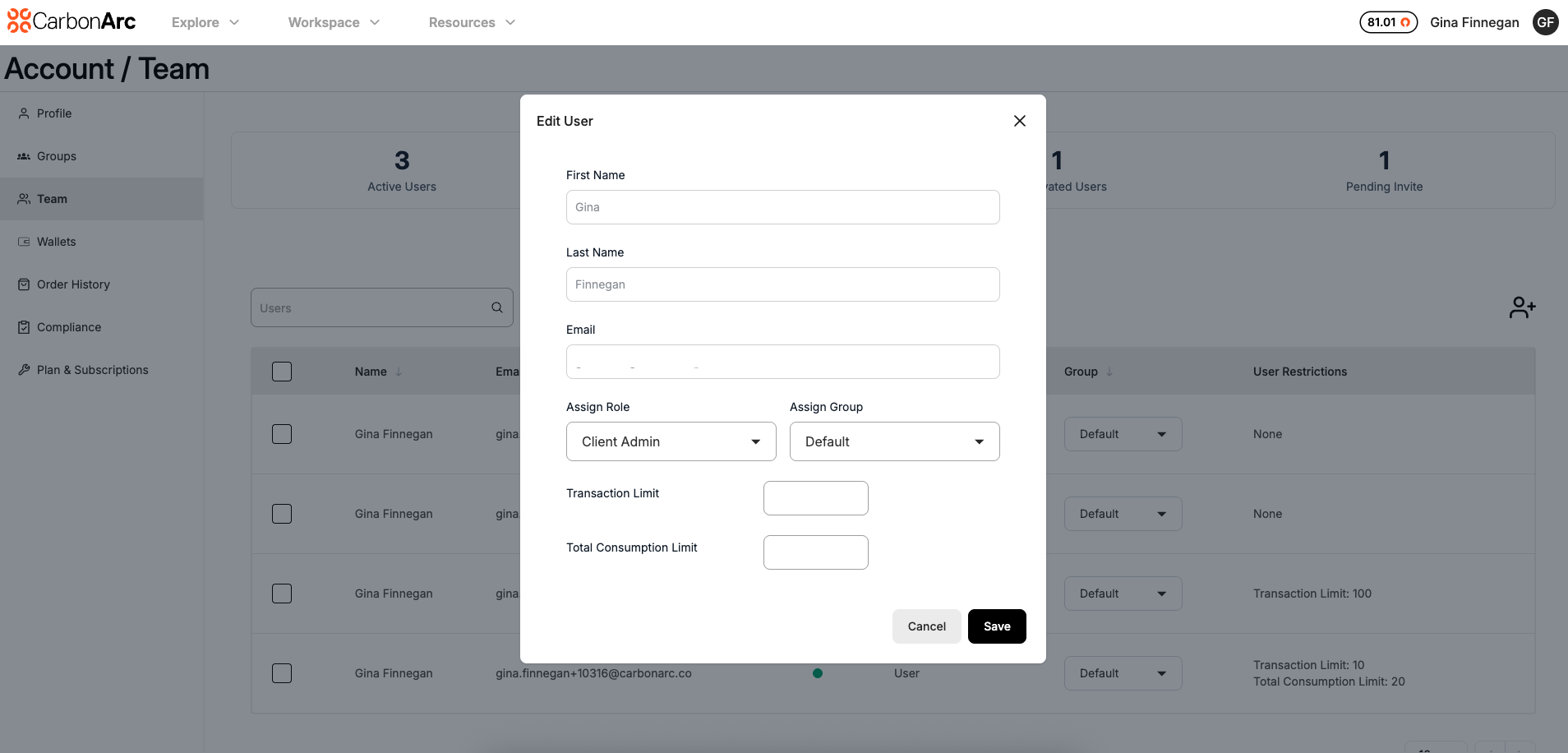
- Hover over the user and select the Edit icon on the right side of the table
- You can edit the user's role, group, and usage limits
- Select Save to save your changes
Bulk Edit Team Members
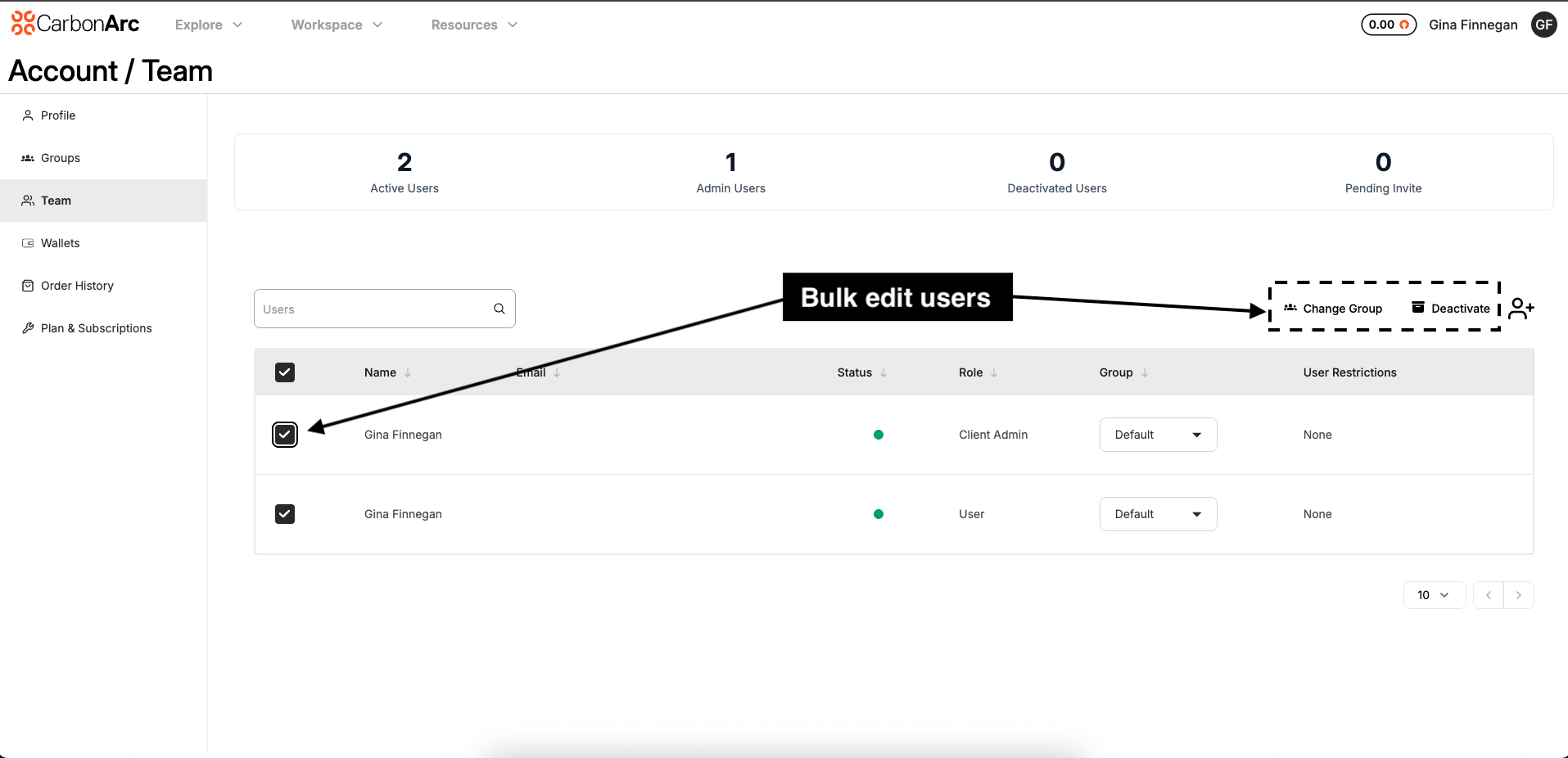
Bulk editing allows you to change the group for multiple user's at a time .
- Select the check box next to each user that you want to edit
- Select Change Group icon at the top right of the table
- Select the new group from the dropdown
- Select Save to save your changes
Note: the user will appear in red to differentiate when you are editing an admin user.
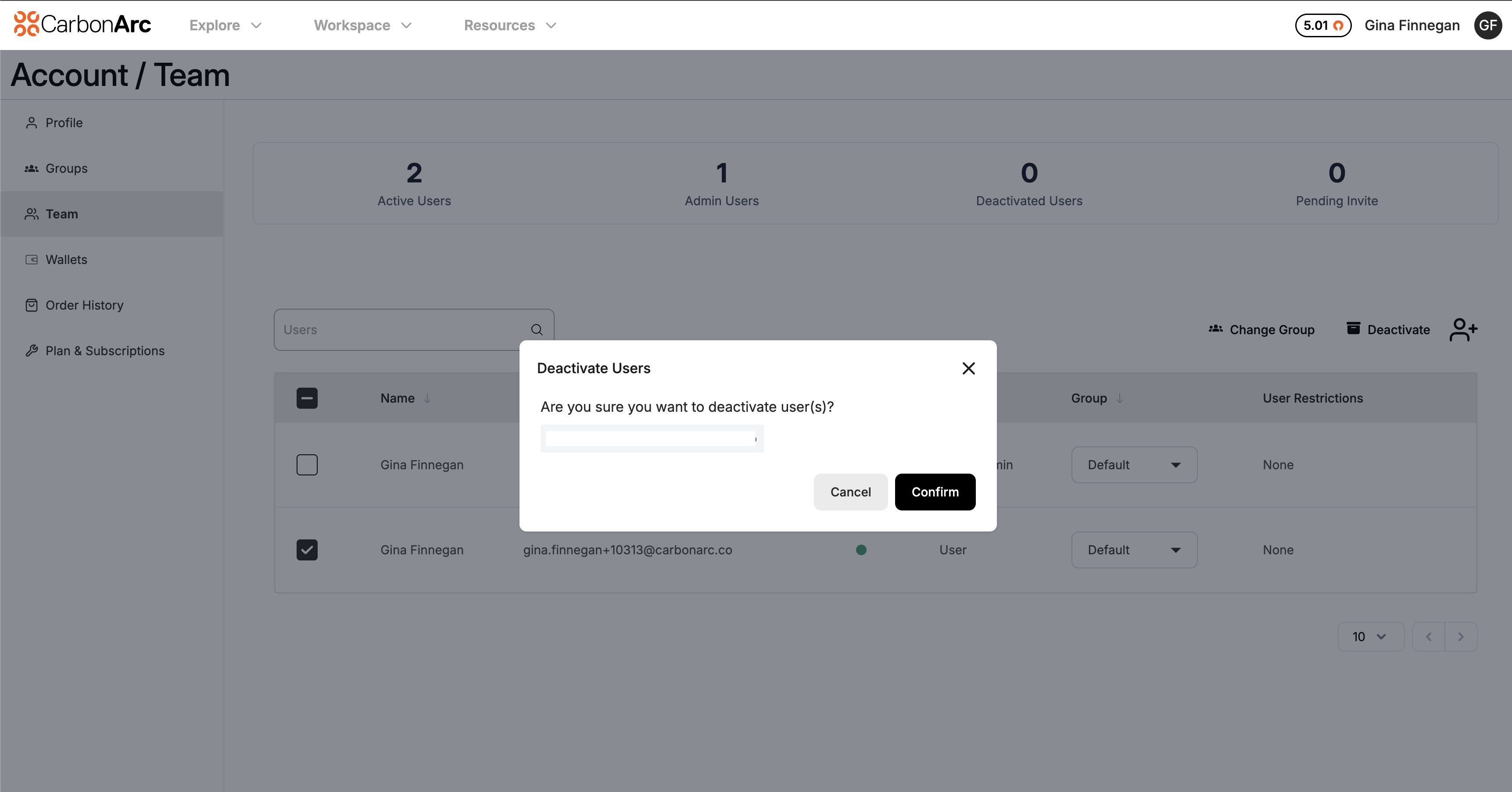
Deactivate a User
- Select the check box next to each user that you want to deactivate (you can select multiple at a time)
- Select Deactivate icon at the top right of the table
- Select the new group from the dropdown
- Select Save to save your changes
Note: the user will appear in red to differentiate when you are editing an admin user.
Roles and Permissions
| Role ID | Role Name | Description |
|---|---|---|
| 1 | User | Access profile, groups, teams; purchase insights |
| 2 | Client Admin | Manage users, roles, groups, teams, plans, billing |
| 3 | Compliance Admin | Ability to provision data providers. Only available to compliance-managed accounts. Compliance admins cannot consume data. |
| 4 | Super Admin | Full admin access; all permissions combined including Compliance Admin permissions. Only available to compliance-managed accounts |
Assign User-Level Limits
By selecting the edit icon, Admins can set limits at the individual level:
- Transaction Limit: Restrict how many tokens a user can spend per transaction
- Total Consumption Limit: Set the total number of tokens a user can spend on the platform. If a user reaches this amount, the limit can be increase to allow additional spend.
When both user and group limits exist, the lower limit always applies to prevent overspending.
Roles and Permissions
Profile & Account Management
| Permission | User | Client Admin | Compliance Admin | Super Admin |
|---|---|---|---|---|
| Profile | ✅ Manage Self | ✅ Manage Self | ✅ Manage Self | ✅ Manage Self |
| Account/Plan | ❌ No Access | ✅ Manage | ❌ No Access | ✅ Manage |
| API Keys | ✅ Manage Own | ✅ Manage Own | ❌ No Access | ✅ Manage Own |
Groups Management
| Permission | User Unrestricted | Client Admin | Legal/Compliance Admin | Super Admin |
|---|---|---|---|---|
| Groups | ✅ View | ✅ Manage | ✅ View | ✅ Manage |
| Group Settings | ❌ No Access | ✅ Manage | ❌ No Access | ✅ Manage |
Team Management
| Permission | User | Client Admin | Compliance Admin | Super Admin |
|---|---|---|---|---|
| Team Members | ✅ View | ✅ Manage | ✅ View | ✅ Manage |
| Team Permissions | ✅ View | ✅ Manage | ✅ View | ✅ Manage |
| Invite Team | ❌ No Access | ✅ Manage | ❌ No Access | ✅ Manage |
| Remove Team | ❌ No Access | ✅ Manage | ❌ No Access | ✅ Manage |
| Transaction & Spend Limits | ✅ View | ✅ Manage | ❌ No Access | ✅ Manage |
Wallet & Order History
| Permission | User | Client Admin | Compliance Admin | Super Admin |
|---|---|---|---|---|
| Wallet | ❌ No Access | ✅ Manage | ❌ No Access | ✅ Manage |
| Token Purchase | ❌ No Access | ✅ Manage | ❌ No Access | ✅ Manage |
| Transaction History | ❌ No Access | ✅ View All | ❌ No Access | ✅ View All |
| Order History | ✅ View Own | ✅ View All | ❌ No Access | ✅ View All |
| Consume data / Spend Tokens | ✅ Yes | ✅ Yes | ❌ No | ✅ Yes |
Compliance
| Permission | User | Client Admin | Compliance Admin | Super Admin |
|---|---|---|---|---|
| Compliance Portal | ❌ No Access | ✅ View | ✅ Manage | ✅ Manage |