Plan & Subscriptions
Overview
The Plan & Subscriptions page provides a comprehensive overview of your account's active plans and subscriptions. This page is accessible only to Admins and Super Admins.
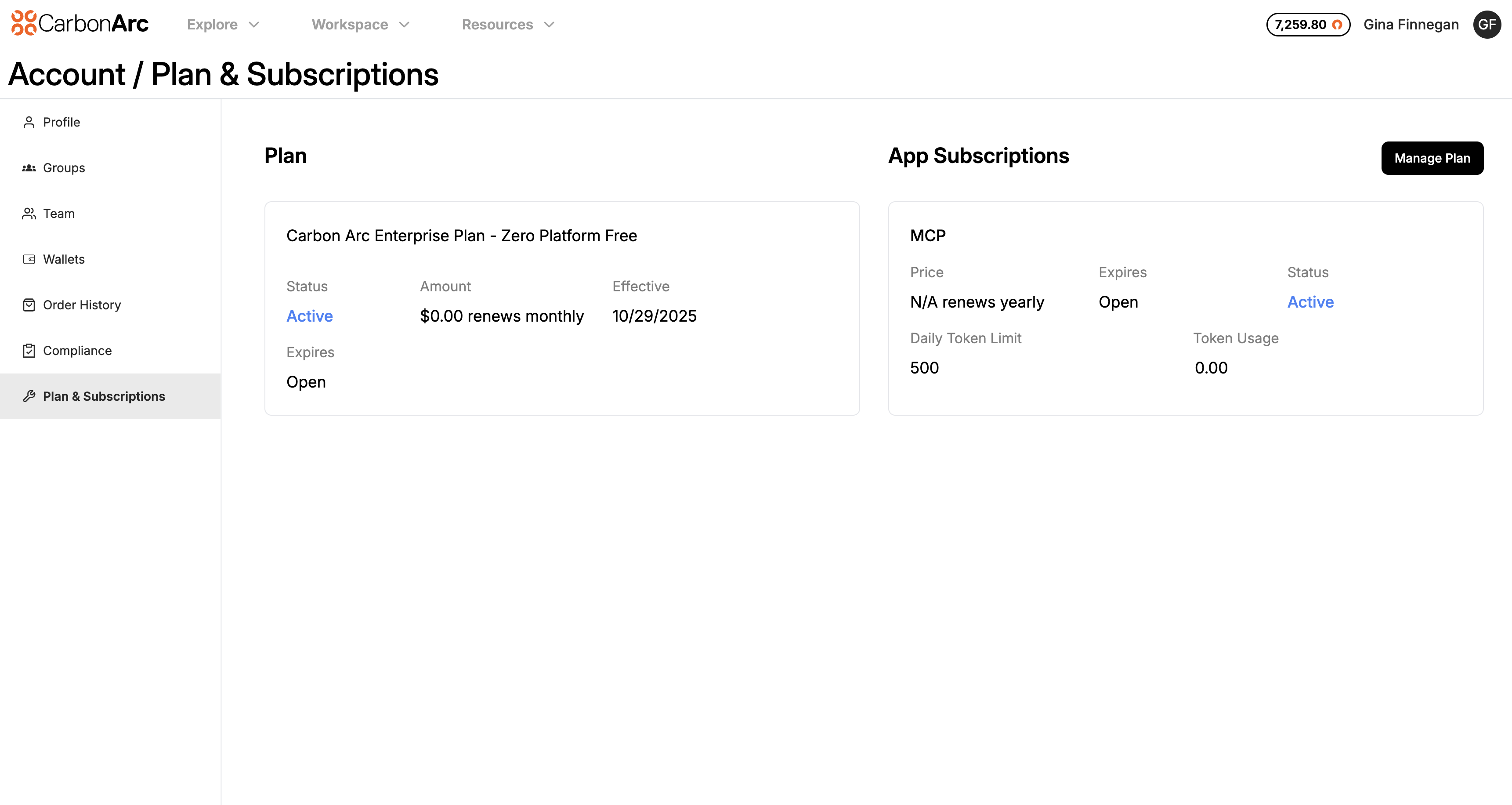
Plan Information
On this page, you can view details about your account’s platform plan, including:
- Plan Name: The name of your current platform plan.
- Plan Status: Current plan status (active, expired, etc).
- Amount & Billing Frequency: Shows the plan price and how often it is billed (e.g., monthly, annually).
- Effective Date: The date your plan became active.
- Expiration Date: The date your plan is set to expire. If the expiration date is open or not specified, the plan is set to auto-renew or does not have a scheduled expiration.
App Subscriptions (e.g., MCP Server)
If your account includes an MCP server subscription, it will appear under the App Subscriptions section. Details provided include:
- Name: Name of the subscription product.
- Price & Billing Frequency: The cost of the subscription and its billing interval.
- Expiration Date: When the subscription is scheduled to end.
- Status: Current subscription status (active, expired, etc).
- Daily Token Limit: The maximum number of tokens your plan allows per day.
- Current Usage: Your current token usage relative to the daily limit.
Managing Your Plan
In the top-right corner of the page, the Manage Plan button links directly to your Stripe portal, where you can:
- Edit your payment methods
- Pay invoices
- View invoice and billing history
- Cancel or modify your plan
- Update payment information
This centralized view ensures Admins and Super Admins have full visibility and control over both platform and app subscriptions in one place.